Structured ownership
Sales, operations, and coordinators can work from the same record without duplicating property context elsewhere.
Keep Eagleview requests, property context, and finished files inside the structured Zoho CRM record your sales and operations teams already share.
A record-first experience where aerial context, measurements, and request actions stay inside the same configurable layout your team already manages.
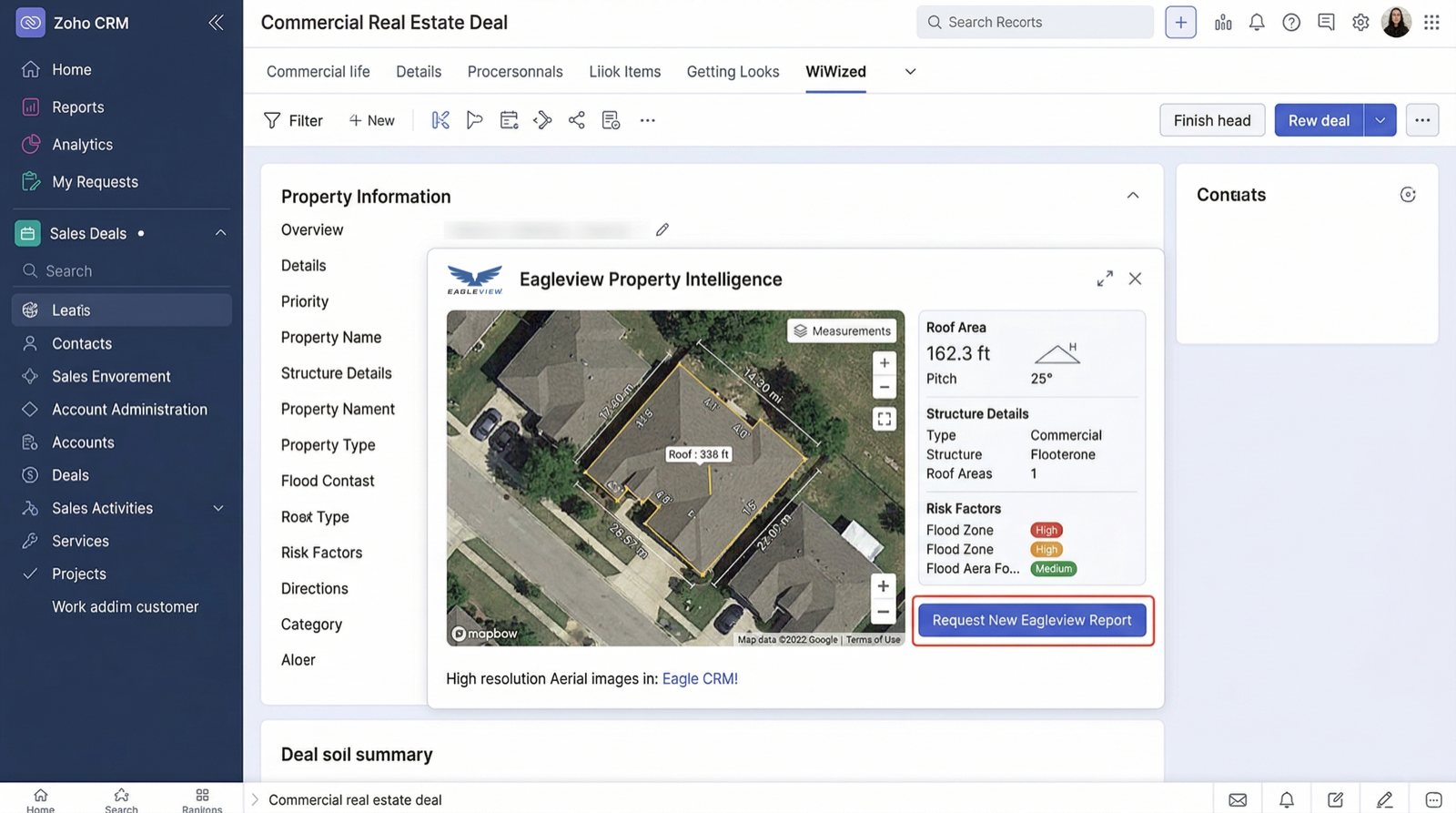
The Zoho version shines when the CRM already acts as the system of record for more than one team.
Sales, operations, and coordinators can work from the same record without duplicating property context elsewhere.
Eagleview fits naturally when the CRM already depends on modules, fields, and controlled process flow.
Finished reports and next actions remain easy to audit because they stay tied to the original record.
One system can carry the request, the returned file, and the next operational decision.
The flow is built around structured records, shared ownership, and handoff between sales and operations.
Start from the layout that already holds account, deal, and property context.
Inspect measurements, aerial context, and risk information without leaving the record.
Send requests and receive finished files back into the same system the operations team already audits.
Zoho is strongest when the record system already controls who reviews, requests, and hands off property work.
Keep property detail next to custom fields, approvals, and related records instead of duplicating it.
Give sales and operations one place to review what happened and what comes next.
Finished files remain easy to trace later because they never leave the structured CRM history.
The Zoho version is designed for teams that want the request flow to stay inside the same structured record system used for sales and operational handoff.
Yes. The Zoho CRM integration is intended to keep roofing and property reports inside the same record system instead of pushing teams into a separate workflow.
Teams start from the configured record, launch the request from the Eagleview area, and keep the returned file connected to the same CRM history.
It is built for roofing sales teams, operations teams, coordinators, and CRM admins who want Eagleview reports inside Zoho CRM.
The page is focused on roofing reports, Eagleview reports, and property reports that support quoting, planning, estimating, and handoff inside Zoho CRM.
Use this form if you want to talk through rollout, workflow shape, or whether the Zoho record model is the right fit for your team.
30 N Gould
Sheridan, WY 82801
USA