Roofing and siding
Start smarter bids with precise remote measurements for roofing, siding, and exterior jobs.
Order Eagleview reports from HubSpot contacts or deals and keep the finished files right next to notes, calls, and follow-up activity.
A contact-driven workflow where property context, report ordering, and recent files stay visible beside the timeline your team already uses.
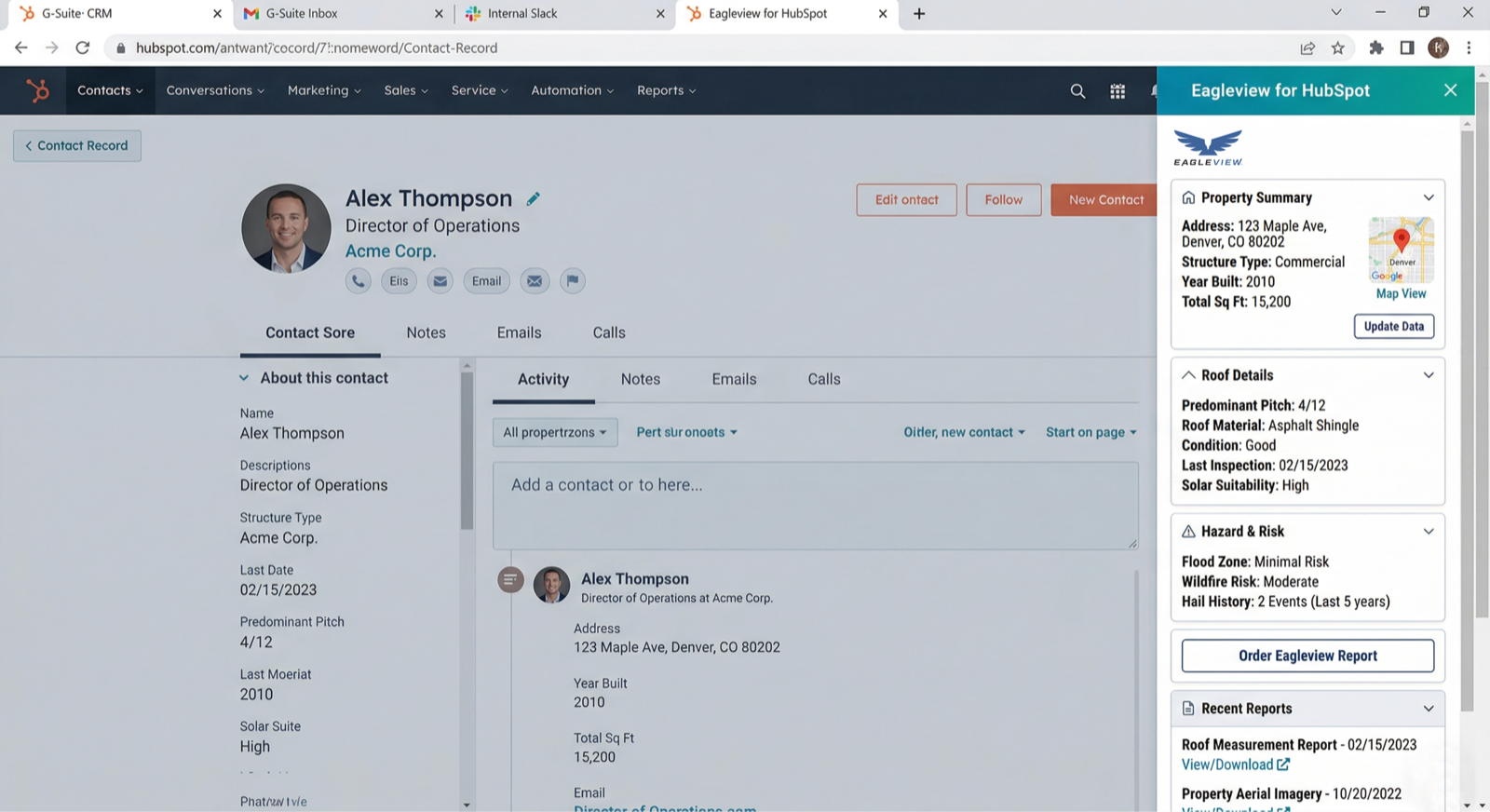
A strong fit for revenue teams that want quoting context close to the customer conversation instead of split across tools.
Start smarter bids with precise remote measurements for roofing, siding, and exterior jobs.
Plan service and validate assets with high-resolution property context already attached to the CRM record.
Use recent aerial imagery and measurements to support planning, site review, and design decisions.
Review access points and site conditions without leaving the same customer history your team already maintains.
Evaluate roof suitability and next-step timing before a site visit ever gets scheduled.
Keep underwriting and claim review context together with the customer record.
Built for a CRM motion where contact context, deal activity, aerial imagery, and follow-up live in one place.
Start where conversations, notes, and activity already live instead of opening a separate ordering tool.
Keep report status close to quoting work, task follow-up, and the rest of the HubSpot workflow.
Make finished files easy for managers, coordinators, and the next rep to find later.
Best when the CRM is where the sales conversation already lives and the team wants property context woven into that same timeline.
Fit routing, automation, and user access into the HubSpot surface your team already knows.
Submit and track Eagleview requests without asking reps to leave the CRM.
Keep files, history, and business context in one permission model.
The HubSpot version is designed for teams that want property reports inside the same contact or deal workflow they already manage every day.
Yes. The HubSpot integration is designed to keep roofing and property reports inside the same CRM workflow instead of splitting request and review into a separate process.
Teams start from the relevant contact or deal, launch the request in-panel, and keep the returned file attached to the same record for later review.
It fits roofing reps, sales operations teams, coordinators, and managers that already depend on HubSpot for follow-up and pipeline work.
The page is focused on roofing reports, Eagleview reports, and property reports that support estimating, planning, and deal follow-up inside HubSpot.
If you are evaluating fit, rollout timing, or how the workflow should land in HubSpot, send the details here and we will follow up directly.
30 N Gould
Sheridan, WY 82801
USA