Deal-first workflow
Ordering stays attached to the active opportunity instead of sending the rep into a slower side process.
Keep Eagleview requests inside the live deal so reps can order reports, reopen files, and keep momentum without leaving Pipedrive.
A deal-first experience that keeps property context and report files close to the opportunity instead of splitting them into another workflow.
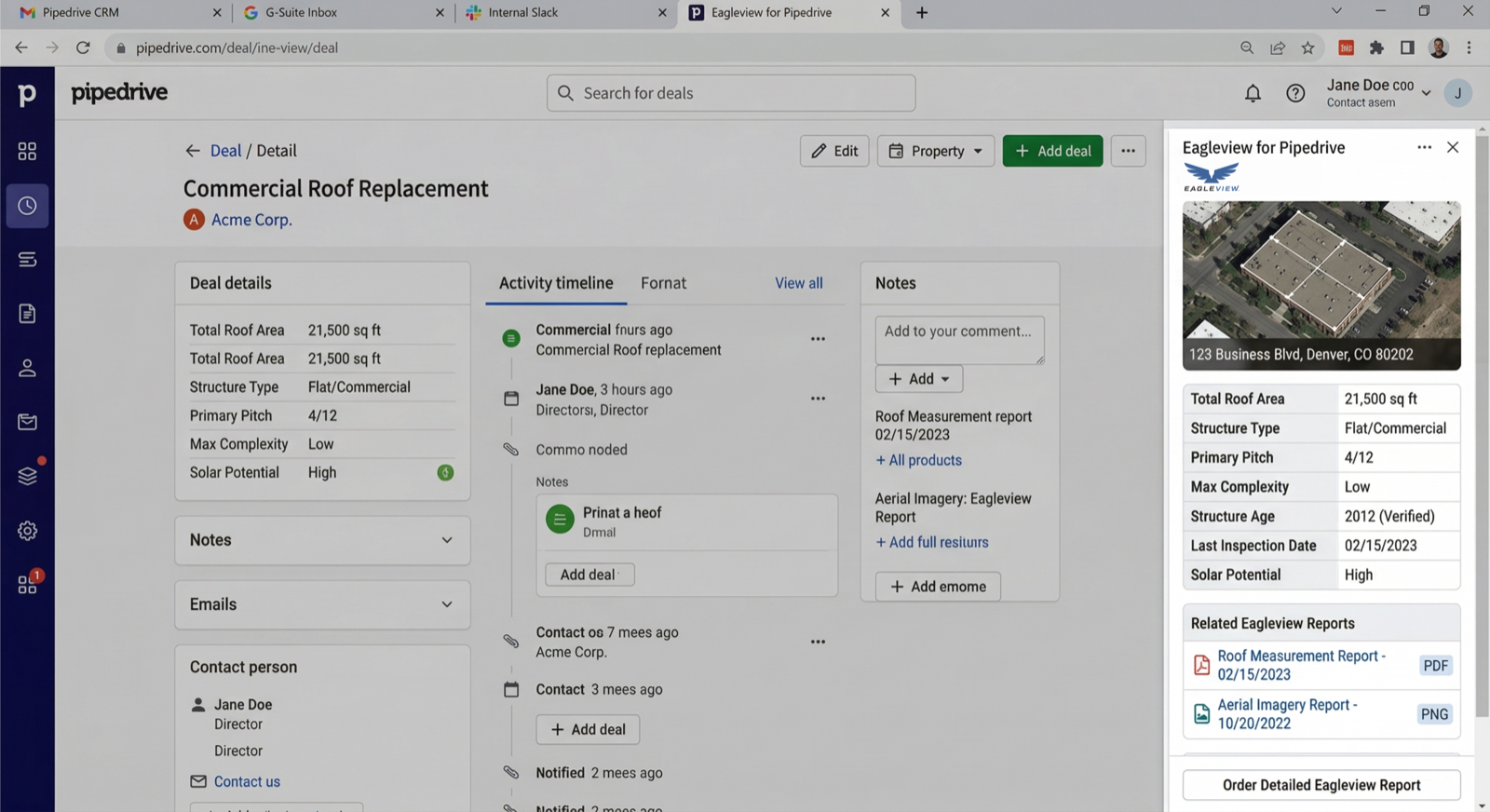
The fit is strongest when quoting speed matters and the deal owner needs the next action immediately.
Ordering stays attached to the active opportunity instead of sending the rep into a slower side process.
Returned files stay easy to find during quote work, review calls, or manager check-ins.
The next request remains one click away while the deal is still live and moving.
The rep, the deal, and the result stay together instead of getting scattered across tools.
The flow is designed around active deals, lightweight review, and quick handoff back into the pipeline.
Start from the opportunity the rep is already moving through the pipeline.
Trigger Eagleview from the same view used for notes, activity, and next actions.
Keep reports attached to the deal and organization so the follow-up path stays obvious.
Pipedrive works best when the deal owner needs the next step fast and the CRM is there to keep movement visible.
Keep the report request inside the opportunity that is already driving the day.
Reps and managers can get back to the finished file during quote work without hunting around.
The completed report stays tied to the same deal motion and org context.
The Pipedrive version is designed for teams that need the request flow to stay attached to the opportunity while the pipeline is moving.
Yes. The Pipedrive integration is intended to keep roofing and property reports inside the active deal workflow so teams do not need a separate process for request and review.
Teams start from the active deal, launch the request from the Eagleview panel, and keep the returned file attached to the same CRM workflow for later review.
It is built for roofing deal owners, closers, managers, and pipeline-focused teams that want Eagleview reports inside Pipedrive.
The page focuses on roofing reports, Eagleview reports, and property reports that support estimating, quoting, and deal follow-up inside Pipedrive.
Use this form if you want to talk through availability, rollout, or whether the Pipedrive workflow fits how your team already sells.
30 N Gould
Sheridan, WY 82801
USA